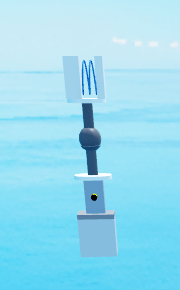
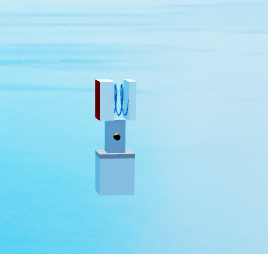
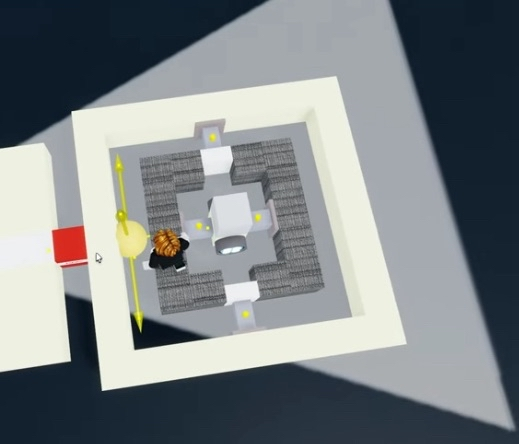
Massless is a core function of shredders, without massless or the correct application of massless the common
shredder will not work properly. The most common case of
this
is new
players not locking their blade motor so if you're new please read 1.2
Staging blade motors.
Desync
Due to a bug, massless can desynchronize any group of assemblies without a potential root part within
itself
and the motor2 that applied said massless.
This happens because whenever massless is applied it creates a local variable that stores all the blocks
within the assembly it's trying to turn massless so it can check for the immune parts.
But this variable is never cleared, making it so the server views the massless module and the build as a
single group.
This doesn't happen in the client and that results in a desync due to differences in which part is root
part
for each network end.
This can be easily overcomed by intentionally manipulating the root parts so it always makes your build
contain the root part.
The simplest way is having some sort of mass within your build, since mass is the biggest determining
factor
for a root part.
Staging
Staging Constraints
Massless does not spread to other assemblies (separate sections of your build, usually
separated by constraints) that are not separated by balljoints, so you have to temporarily weld them
together with staging blocks. It is sometimes needed to allow your build to spawn
correctly
too.
Springs are the most commonly used staging block, it leaves no welds behind as long as you dont weld the
top
or bottom to the build. The only issue is getting stuck within the build and having to be flung out.
Disconnectors also work for staging, but leave behind a non collide part on the build.
NOTE:Tnt on shredders will likely not work due to a bug related to compressors and
angles
somehow breaking tnt.
TNT can be used for staging without leaving any parts behind, since it deletes itself when activated. The
radius or pressure should be set
to 0.
NOTE:Your blade's motor1 plate will still have mass, so do not place it too far away
from
your core or your shredder will wobble.
Staging Blade Motors
Blades also require staging, or massless will not spread through the constraint seperating the two
assemblies. This can simply be fixed by locking the motor1 (if you have multiple it is advised to lock
all
of them).
Preventing Massless Gyros
Gyros will be severely weakened when massless is applied to them, because their strength
is
proportional to their
mass. To fix this you should place a lock and toggle motor1 below the gyros, and connect
both
ends of your
massless module's motor2 together with staging blocks.
After spawning, unlock the motor, remove the staging connection from the Motor2, then lock the motor
again. You can simply just set the locked
motor and staging blocks to the same keybind, and then press it twice.
This module is an advancement of the three block massless, it has the ability to make anchored assemblies
massless.
It was later discovered that a massless module could be reduced to only three blocks, using an anchor to make
it the rootpart and then a motor2 to rotate the build and apply massless.
The first massless module, probably designed this way from a misunderstanding of how it worked.